
Internet Access Survey
https://forms.gle/GqKiZee8PgjQ3ZFcA
Support:
Phone Number for parent technical support available between 8 and 3.
423-743-1620
Login Information:
Student usernames are based on their Skyward login. It is the first 5 letters of the last name and the first 3 of the first name, followed by a 000 or a 001. Example John Smith smithjoh000@students.unicoischools.com. Or their Teacher Supplied Clever QR Code.
Password:
Student passwords are custom and should be supplied by your teacher or a QR Code should be supplied. If you use a QR Code to Login Click the blue link on the right that says Clever Badge Login.
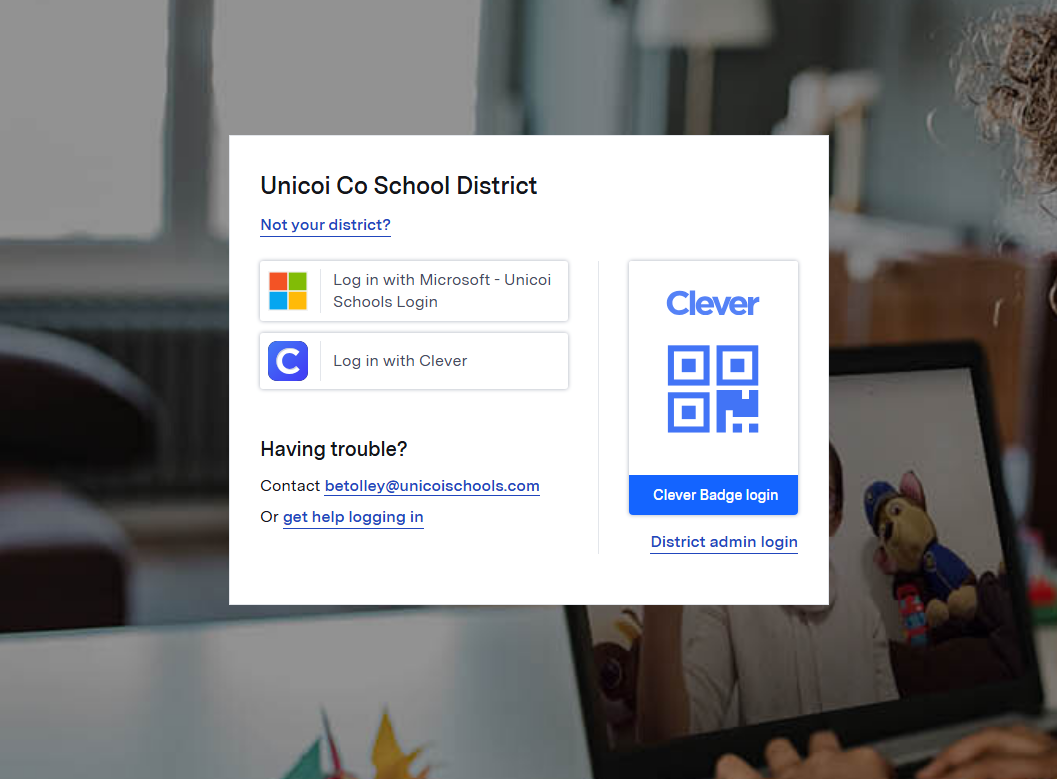
How to login to your chromebook:
https://www.youtube.com/watch?v=U1Y0Y5W378U
How to login to your chromebook with Clever Badges:
https://www.youtube.com/watch?v=UuxCkrs6cQ0
How to login to Google Classroom:
https://www.youtube.com/watch?v=tuDeR--mq4U
How to submit Assignments in Google Classroom:
https://www.youtube.com/watch?v=JxoSbp5F9m8
Longer video about all of Google for Education(Good video from another school district.):
https://www.youtube.com/watch?v=E5za2r8T8yY&t=262s
Troubleshooting Chromebook/Google Issues:
Google Tool for Video issues in Google Meet: https://www.youtube.com/watch?v=fNOSCYK9_RY
Choppy or strange audio / video in Meet: https://www.youtube.com/watch?v=LjOzSnoM8l8
Selecting Mic and Camera in Meet:https://www.youtube.com/watch?v=g4hWEmTSyhQ
Setting Volume in Chromebook :https://www.youtube.com/watch?v=uCNwgTxvW0o
Setting Microphone in Chromebook:https://www.youtube.com/watch?v=EvhmmJD4Boc
Submit Questions and get email answers:
https://forms.gle/2Cu1ZTMmKCxicZkU9